How to Follow Up on a Lead: Timing, Channel and Next Step
Learn when to follow up on a lead, which channel to use for each touch, what to say, and when to stop, with a timing table you can use today.
Follow up on a lead by matching the first touch to how the lead arrived: minutes for an inbound request, a few days for a cold prospect, and the same day a buying signal appears. Every touch after that needs a date, a channel and a written reason, and the sequence ends the moment the prospect replies or opts out.
The size of the miss is what makes this worth systemizing. A 2021 analysis of more than 55 million sales activities covering 5.7 million inbound leads at more than 400 companies found that 57.1% of first-call attempts happened more than a week after the lead arrived, and that conversion rates were more than eight times higher when the first attempt came within five minutes than after it. Only 0.1% of inbound leads were engaged inside that five-minute window, according to the InsideSales lead response analysis. Speed isn't the whole job, but it separates the teams that get a conversation from the teams that get a log of unanswered rings.
Follow-Up Timing by Lead Type
Follow up on an inbound lead inside five minutes and on a cold prospect within a few days. The window is set by how the lead arrived and what signal it carries, not by one rule applied to every record in the pipeline.
Most stalled pipelines aren't short of effort. They're short of an order of work: which lead gets called in the next ten minutes, and which one waits until Thursday afternoon. Sorting by lead type answers that question before the day starts.
First touch and cadence length by lead type. These are working planning intervals a team can adopt and adjust, not measured benchmarks.
| Lead type | First touch | Next touch | Cadence length |
|---|---|---|---|
| Inbound demo or pricing request | Call within 5 minutes, and within 60 minutes at the latest | Email if unanswered, then call again the same afternoon | 3 to 4 attempts in 2 business days |
| Inbound content download or newsletter sign-up | Email within 1 business day | Call after 2 to 3 days if they opened or clicked | 4 to 5 touches over 2 weeks |
| Referral from a client or partner | Call within 1 business day, naming the referrer | Email the same day as the call | 3 touches over 1 week |
| Outbound prospect matched to a buying signal | Call or email on the day the signal appears | New touch every 3 to 4 days | About 6 touches over 3 weeks |
| Meeting no-show | Reschedule message within 1 hour | Call the next business morning | 2 attempts, then a closing email |
| Proposal sent, no decision | Check-in call 3 business days after sending | Email with one specific question every 5 to 7 days | 3 to 4 touches over 3 weeks |
The gap between a five-minute attempt and a 30-minute attempt on a fresh inbound inquiry is big enough to change how a team staffs its morning. Close's guidance on inbound lead response reports that contacting a new inbound lead within five minutes produces qualification odds roughly 21 times higher than waiting 30 minutes, and a connect rate roughly 100 times higher. That finding covers inbound response, where the prospect raised a hand minutes earlier. It is not a benchmark for cold outbound, where the person has no reason to expect a call and a five-minute follow-up is an interruption.
The same shape shows up in older data. A 2011 Harvard Business Review study summarized in Vendasta's lead response breakdown sent test inquiries to 2,241 US companies and found only 37% replied within an hour, while 23% never replied at all. A separate analysis of 1.25 million leads from 29 B2C and 13 B2B companies found that firms attempting contact within an hour were nearly seven times as likely to qualify a lead as firms that waited one more hour, and more than 60 times as likely as firms that waited 24 hours or longer.
What the Lead Source Changes
A content download is warm but rarely urgent. The person traded an email address for a document, which means email is the natural first channel and a call two or three days later, after an open or a click, is a reasonable escalation.
A referral is warm and time-sensitive, because the referrer is waiting to hear whether the introduction landed. Name that person in the first sentence of the call and send a short email the same day, so the prospect has something written to reply to.
Outbound changes the rule again. A prospect matched to a dated signal, such as a job post for a role the product supports or a funding round, belongs on the call list on the day the signal appears, not the following week. Building lists around those signals is what keeps the timing honest, and the lead discovery workflow is where that list begins. Running the same windows across phone, email, LinkedIn and SMS is the job of multichannel campaigns.
The Rule That Most Often Gets Missed
Tag every lead with two dates at intake: the source date and the signal date. The window then calculates itself, and a rep opening the record sees "inbound request, 14 minutes old" instead of an undated name.
Working rule: if a lead has no first touch logged inside its window, the cadence has already slipped. Treat that as a failure of the queue, not of the rep.
Time of day matters, but only once the window is met. Best time to cold call optimization is a second-order gain next to making the attempt on the right day, and teams that invert the order spend weeks tuning hours while their inbound requests cool in the queue.
How to Pick the Channel for Each Touch
Use the phone for the first touch on any lead that asked for a conversation, email for the follow-up that carries detail, and LinkedIn or SMS as a secondary touch rather than the main event. The channel follows the reason for the touch, not the rep's comfort.
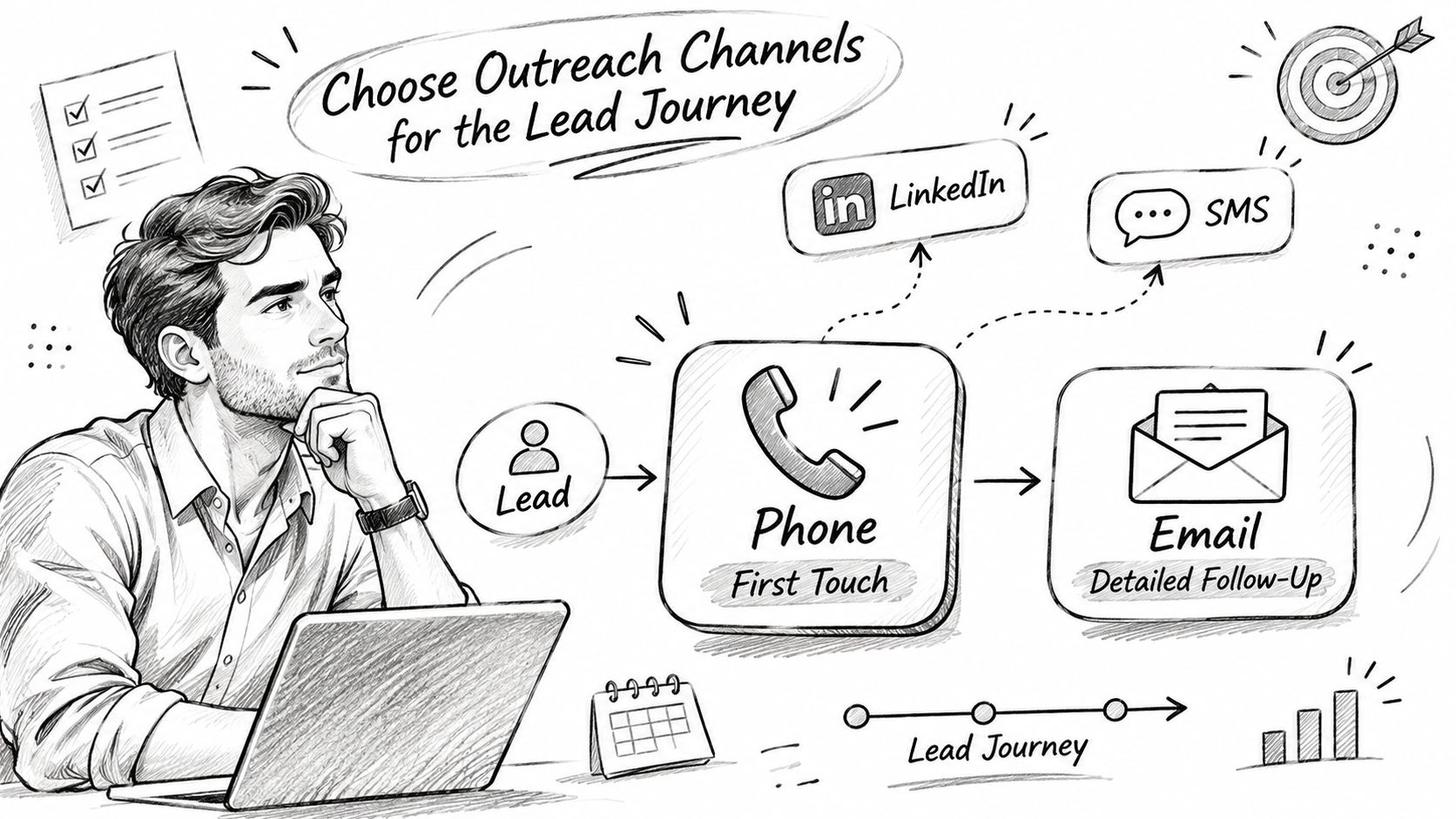
Here's how the four channels divide the work in a follow-up sequence.
| Channel | Best use | Watch for |
|---|---|---|
| Phone call | First touch on inbound leads and any lead that asked for a conversation | Log the outcome straight away and retry at a different time of day |
| Email from the rep's own mailbox | Follow-up that carries the call recap or a specific reason to reply | One ask per message, and a clear way to opt out |
| LinkedIn step | A second identity touch between emails, after a call or an email with no reply | Each step is a manual task, so it needs a due date |
| SMS | Short confirmations and meeting reminders | Only after carrier registration, and only with permission to text |
Why the Phone Leads
A live conversation settles in four minutes what six emails circle around. Keep the dialing to one line per rep, so the rep finishes a call, logs the outcome, and dials the next lead with the last result still in view. Retry an unanswered number at a different hour rather than redialing in the same minute, because three calls in ten minutes reads as a glitch to the person holding the phone. The single-line dialer that keeps a rep on one conversation at a time exists for exactly that order of work: call, log, next.
Where Email Earns Its Place
Send follow-up email from the rep's own Gmail or Outlook, not a shared marketing address, so replies land in the thread the rep will use next. One ask per message. If a draft needs two asks, it needs two messages.
LinkedIn steps sit between emails as a second identity touch, particularly after a call and an email with no reply. Each step is a task a rep completes by hand, so give every step a due date; an undated LinkedIn step is a wish. SMS works for confirmations and reminders, and only after carrier registration is complete. Text someone about a meeting time, not about a value proposition.
The Switching Rule
Two unanswered calls on the same lead means the next touch changes channel. Repeating the same channel in the same week produces the same non-answer, and it trains the prospect to recognize the number as one that never says anything new.
After two unanswered calls, change the channel, not the volume. And never send the same message on two channels on the same day.
That rule does two jobs: it protects the prospect's inbox and phone from duplicate chasing, and it forces the rep to write a different reason for the next touch instead of pasting the same paragraph into a different window.
How to Build a Cadence That Keeps the Lead Moving
A cadence is a dated list of touches, each with a channel, a reason and an owner. Nothing in it depends on memory or on how the morning feels, and the definition of a sales cadence covers the same building blocks once the naming settles.
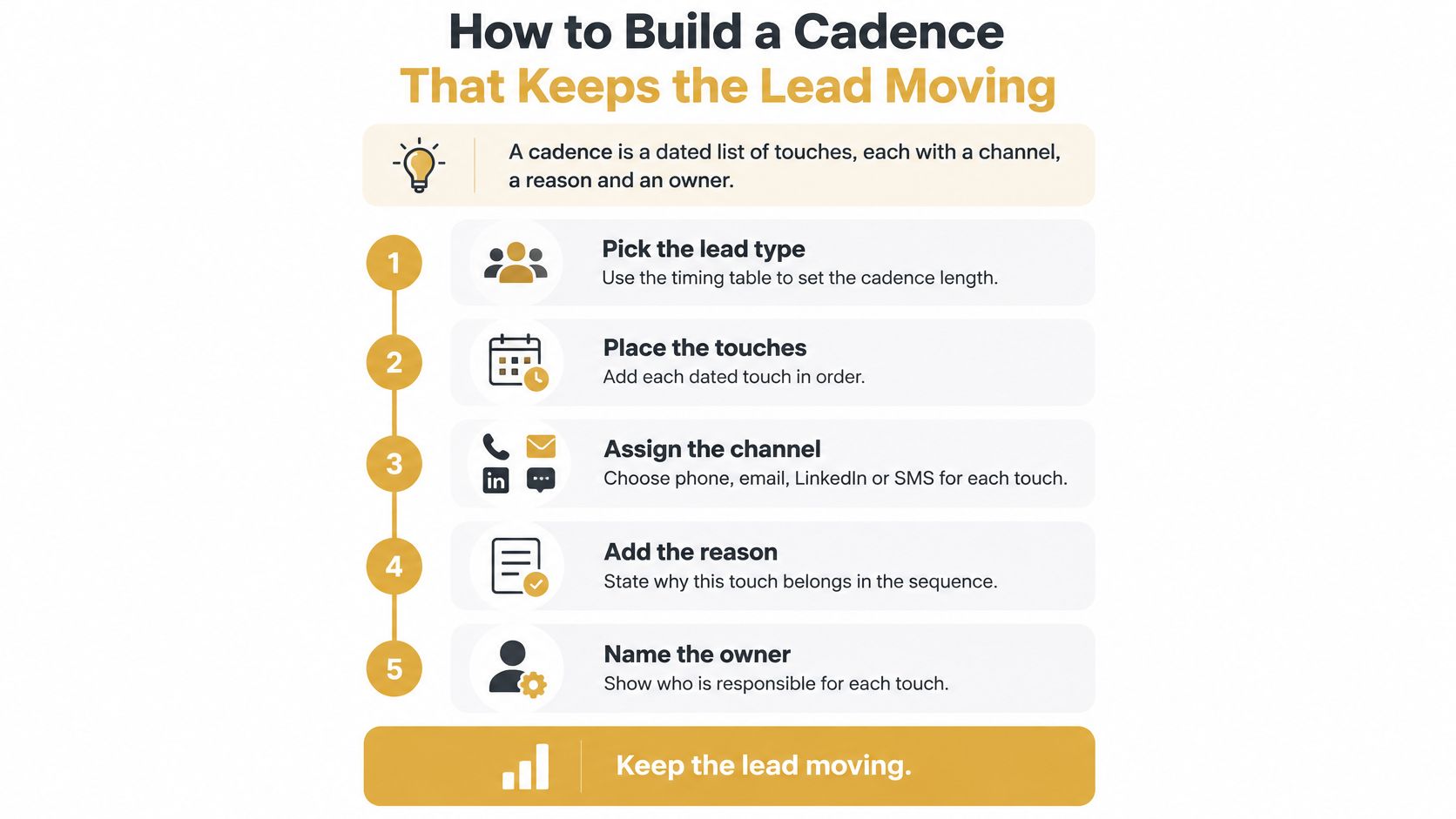
Seven Steps From a Lead to a Working Sequence
Pick the lead type and set the length. Pull the row from the timing table, which supplies both a first-touch window and a total length. The common slip is choosing a length first and fitting the lead to it.
Place the first touch on the day the lead arrives or the signal appears. A cadence that begins two days late has already lost the reason it exists. The common slip is importing a list on Friday and starting dials on Monday.
Create the next touch as a dated task before finishing the current one. This is what separates a cadence from a to-do list. The common slip is marking a call done and leaving the record without a next step.
Alternate channels in a fixed order, for example call, email, call, LinkedIn, email. Alternating gives the prospect a second way to respond without doubling the pressure on one channel. The common slip is five emails in a row because email is easier to send than to dial.
Set the spacing. Three to four days between touches for outbound work, and the same day for a missed inbound call. The common slip is clustering four attempts into one afternoon after a week of silence.
Write the stop rule before the cadence starts. The sequence ends when the lead replies, books a meeting or opts out. The cadence stops the moment the lead replies, so a reply never gets another pre-written message.
Review weekly and count the open leads with no dated next task. That number tells you whether the cadence is running; the total number of attempts does not.
The intervals aren't arbitrary. Cirrus Insight's summary of sales follow-up statistics reports an effective email cadence using about six touches over roughly three weeks, spaced three to four days apart, and notes that waiting longer than four days reduced the likelihood of a response. The analysis behind it covered 10 million email threads, which makes it a useful observational benchmark rather than a promise about any single list.
Measure the Cadence, Not the Effort
The metrics deserve as much attention as the intervals. An operating sequence published by Venture Harbour on how fast marketing leads go cold tracks median first-response time, the percentage of leads contacted within 5 and within 60 minutes, contact rate, qualification rate and booked-meeting rate. None of those numbers flatter a rep who technically worked every record.
The test isn't how many touches a cadence contains. It's whether every open lead has a dated next task and someone's name on it.
A healthy pipeline looks dull on the record, which is the point. Every open lead carries a next task with a date and an owner, and the ones that don't show up on a report the manager reads on Monday morning.
What to Say in Each Follow-Up Message
Every follow-up carries three parts: a reference to the last touch, one new reason to reply, and one ask with two time options. Drop any of the three and the message reads as pressure without a purpose.
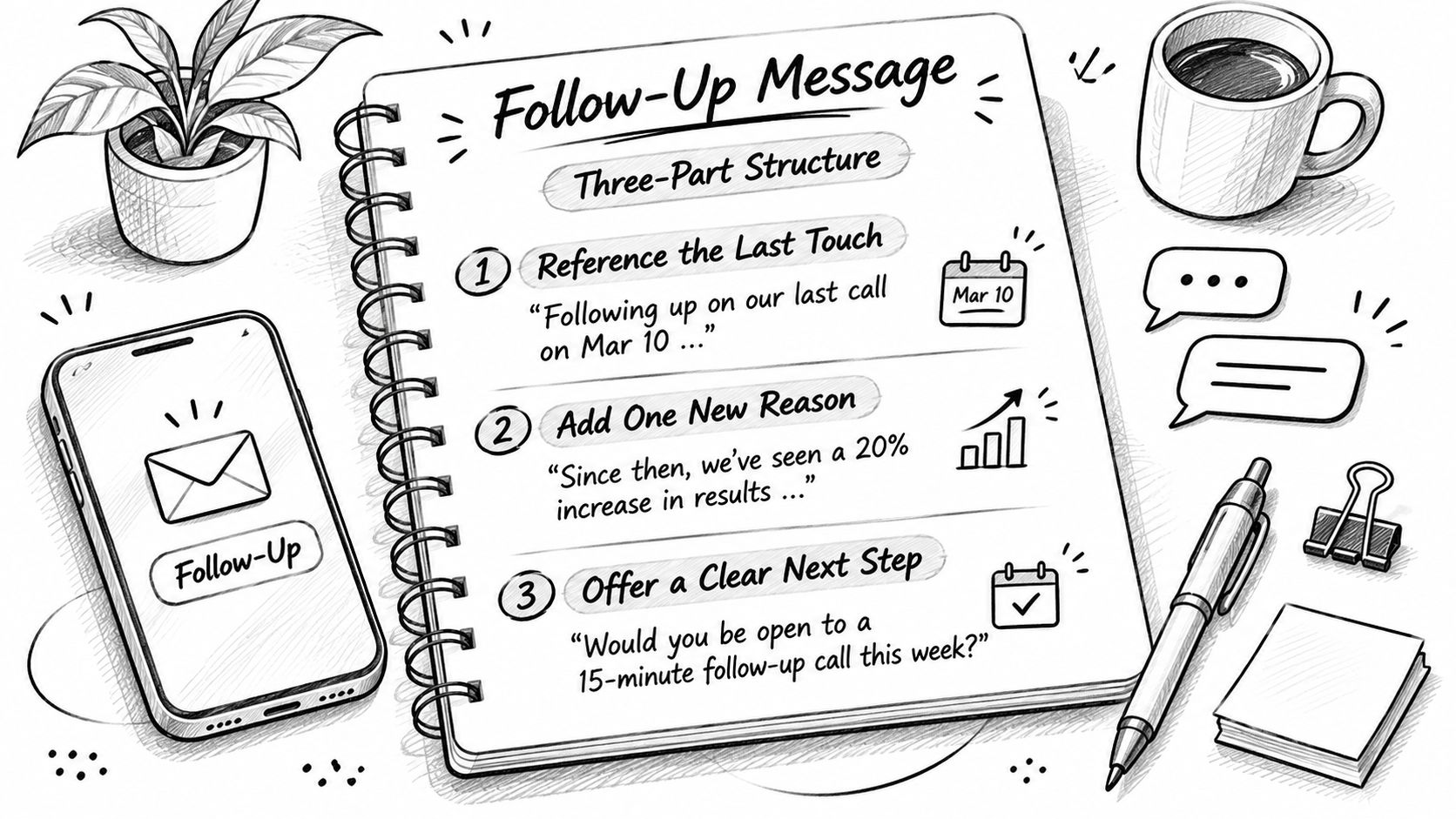
Three Messages That Work
After a call where the prospect asked for information. Open with the date and the question: "You asked on Tuesday how the migration handles archived mailboxes." Answer it in two sentences, then make the ask: "I can walk through it Thursday at 10 or Friday at 2. Which is easier?"
After a signal-based outbound email gets no answer. Lead with the trigger, not with the silence: "The ops role you posted last week usually means scheduling work is landing on whoever's left." Then one sentence of relevance, then a single question about whether that's happening now.
A LinkedIn note after two emails. Keep it short and give an exit: "Sent two notes about the Denver rollout. If the timing is wrong, say so and I'll close the file until the fall." Permission to say no gets more replies than another pitch.
Cut the Phrases That Carry No Reason
"Just checking in," "circling back" and "bumping this to the top of your inbox" all ask for a reply while offering nothing to reply to. Replace each one with a fact: a date, a number, a change in the prospect's situation, or a direct question about how the decision gets made.
Keep emails under 90 words with one link at most, because longer messages bury the ask under context the reader didn't request. The reason has to change between touches, not just the wording. If the prospect mentioned budget timing on the call, the next message names that timing; if they mentioned a hiring freeze, the next message references it.
The point isn't theoretical. Campaigns using follow-ups averaged a 4.9% reply rate, against 3% for campaigns without them, and prospects followed up with within one day averaged about a 25% reply rate, based on Hunter's 2025 data and Yesware's 2024 data compiled in NerdyJoe's collection of sales follow-up statistics. A second message earns attention, which is exactly why its content has to earn the reply.
The Four-Point Check Before Sending
- The last touch is referenced. The date and what the prospect said, not a generic opener.
- There is one new reason. A result, a trigger, a relevant example or a question they'll want to answer.
- There is one ask with two time options. Two options get a decision; an open-ended "let me know" gets silence.
- There's a way out. One line that makes it easy to say no, or to say not now.
That review step is where mistakes get caught. In Sales Montana, Montana lines up the call outcome, the callback, the email draft, the task and the deal update after a call, and nothing changes in the CRM until the rep taps Accept. The message leaves from the rep's own mailbox once they approve it. The same discipline applies on the live call, where the opener and objection lines for the first dial should set up what the follow-up refers back to.
When to Pause, Switch or Stop Following Up
Stop when the prospect gives a clear no, books a meeting, refers someone else or opts out. Pause when silence runs through the full cadence. Neither is the same as stopping after one unanswered call, which is the failure that costs the most.
The two errors sit at opposite ends. AI SDR's roundup of 2024 sales statistics reports that HubSpot found 48% of salespeople never make a follow-up attempt, while other teams call the same person four times in an afternoon and send a text behind each call. Both look like a process problem and both are.
| Outcome | Next action | What to log |
|---|---|---|
| No response after the full cadence | Pause for 30 to 60 days, then return with a new reason tied to a new signal | Attempt dates, channels and the pause date |
| Wrong person | Ask for the right contact and start a shorter cadence with that person | Name and role of the new contact |
| Not now | Set a dated check-in that matches the timeframe they gave | Timeframe and the trigger to revisit |
| Objection | Answer it once in the next email, then wait for a reply | The objection in the prospect's own words |
| Referral | Thank them and contact the referral within 1 business day | Referrer name and referral date |
| Unsubscribe or stop request | Stop all channels at once and flag the record | Opt-out date and the channel used |
| Meeting booked | End outbound touches and move the record to meeting preparation | Meeting time and owner |
Silence Isn't Permission
Treating every silence as permission to keep sending is the quiet way a sequence becomes spam. After a full cadence with no reply, pause for 30 to 60 days and come back with a new reason tied to a new signal: a funding round, a new hire in the function, a product change, a seasonal deadline. The tenth message should never say what the second one said.
Persistence earns its keep when each touch adds information. It fails when the only change is the date in the subject line.
Log What the Next Rep Needs
Record the attempt dates, the channels used, the reason for the pause, and the objection in the prospect's own words. Without that, an overdue sequence gets restarted by whoever picks up the account next, including an outsourced SDR working from the same list. A prospect who ignored six touches from one address will notice the same six from a second.
A new buying signal justifies a new touch. A new rep does not.
The distinction between the two is the one most sequences blur, and the prospecting practice guide from Scalelist treats named outcomes, not touch counts, as the thing worth tracking. Outcomes force a decision; a touch count lets a stalled lead sit open forever.
The Disqualification Rule
After two full cadences with no signal and no engagement, close the lead and record why. Cap the total number of touches per lead and per channel, confirm consent before any SMS goes out, and keep the history intact so nobody reopens an exhausted sequence by accident.
Stops need to be just as visible as starts. If a prospect says stop on a call, Montana flags it and the rep confirms it in one tap, which is what it takes to make an opt-out stick across every channel.
Set Up Your Follow-Up Record This Week
Five fields on every open lead make the whole system work. Add them before adding another list.
- Lead source. Inbound request, content download, referral, buying signal or outbound.
- Signal date. When the reason for contact appeared, not when the record was created.
- First-touch window. Pulled from the timing table for that lead type.
- Next task with a date and an owner. One task, not a note.
- Stop reason, when one applies. The outcome that ended the sequence and the date it happened.
Then run one weekly report: open leads with no next task. If that number is high, the cadence isn't running, whatever the activity dashboard says.
Sales Montana is an AI CRM that runs itself. Montana, its AI head of sales, finds buyers, plans each rep's calls, emails and LinkedIn touches with a reason for each, logs outcomes and moves deals after every interaction, and a human approves every send. When the work needs to happen without the hiring, trained SDRs from our team run the cadence inside your own workspace. Solo is $49 a month for 1 user, Team is $99 a month for up to 3 users, and Organization is $297 a month for unlimited users. The 7-day free trial includes 100 credits and needs no card. Leads are paid as you go, and the first campaign goes live before you pay, with ten sample leads and Montana's reasons for each. Start with one cadence built from the timing table above, prove the first-touch window holds, and only then add more leads.
Sales Montana gives you an AI native CRM where every follow-up has a date, a channel and a reason behind it, and every message waits for a rep's approval before it leaves. If your team is losing winnable leads to slow first touches and undated sequences, visit Sales Montana to start the 7-day trial, build one cadence, and watch the first-touch window hold across your whole pipeline.
Let Montana run your outbound
Leads, calls, email and LinkedIn in one place. 7 day free trial with 100 credits, no card needed.
Larger team? Book a demo