What an AI Sales Assistant Does and Who Approves It
Learn what an AI sales assistant does across calls, email and the CRM, and how human reps approve every action before it reaches a buyer.
An AI sales assistant identifies prospects, plans each rep's outreach, and records outcomes, while a human approves every message sent to a buyer. The software can name the next call, email, or LinkedIn step. Only a person decides what a buyer receives.
It's Monday, the board looks full, and nobody can say which account should be called first. Friday's notes are half typed. A follow-up sits in drafts. That's the gap this category is meant to close: ready work, then a yes from a person before anything goes out.
What an AI Sales Assistant Does in Plain Terms
Think of a desk coordinator. That person builds the day's call sheet, drafts each follow-up, and keeps the pipeline tidy, then hands every draft to the rep before anything leaves the office. An AI sales assistant works the same way inside the CRM.
Two look-alikes cause most of the confusion. A website chatbot answers questions on a page and never works a list. An autopilot sequence sends messages with nobody checking them. Neither one is a sales assistant in the sense that matters here.
The job has three parts, in order.
- Find the right buyers. Dated signals, such as a job post, a funding note, or a tool change, point at companies that might be in market.
- Plan the next touch with a stated reason. The draft names who to contact, on which channel, and why today.
- Record the outcome. Notes, objections, and the next step land on the record so the following day isn't a guess.
Montana, the AI head of sales, drives that loop in Sales Montana's AI CRM. He finds buyers, plans each rep's calls, emails, and LinkedIn touches, and keeps records current after each interaction. Montana grades calls, writes briefs, and answers questions about a sales floor. He isn't an autonomous AI SDR that sells on his own. A customer's rep, or a trained SDR, approves every send.
In McKinsey's early 2024 survey, 65% of respondents said their organizations were regularly using generative AI in at least one business function, with marketing and sales among the most common. The pages below cover the daily tasks, one lead's path to a meeting, the channel rules, and the sign-off that keeps the record honest.
The Daily Work an AI Sales Assistant Covers
The assistant's work sits in a handful of repeating tasks, and each has a clear decision for the rep.
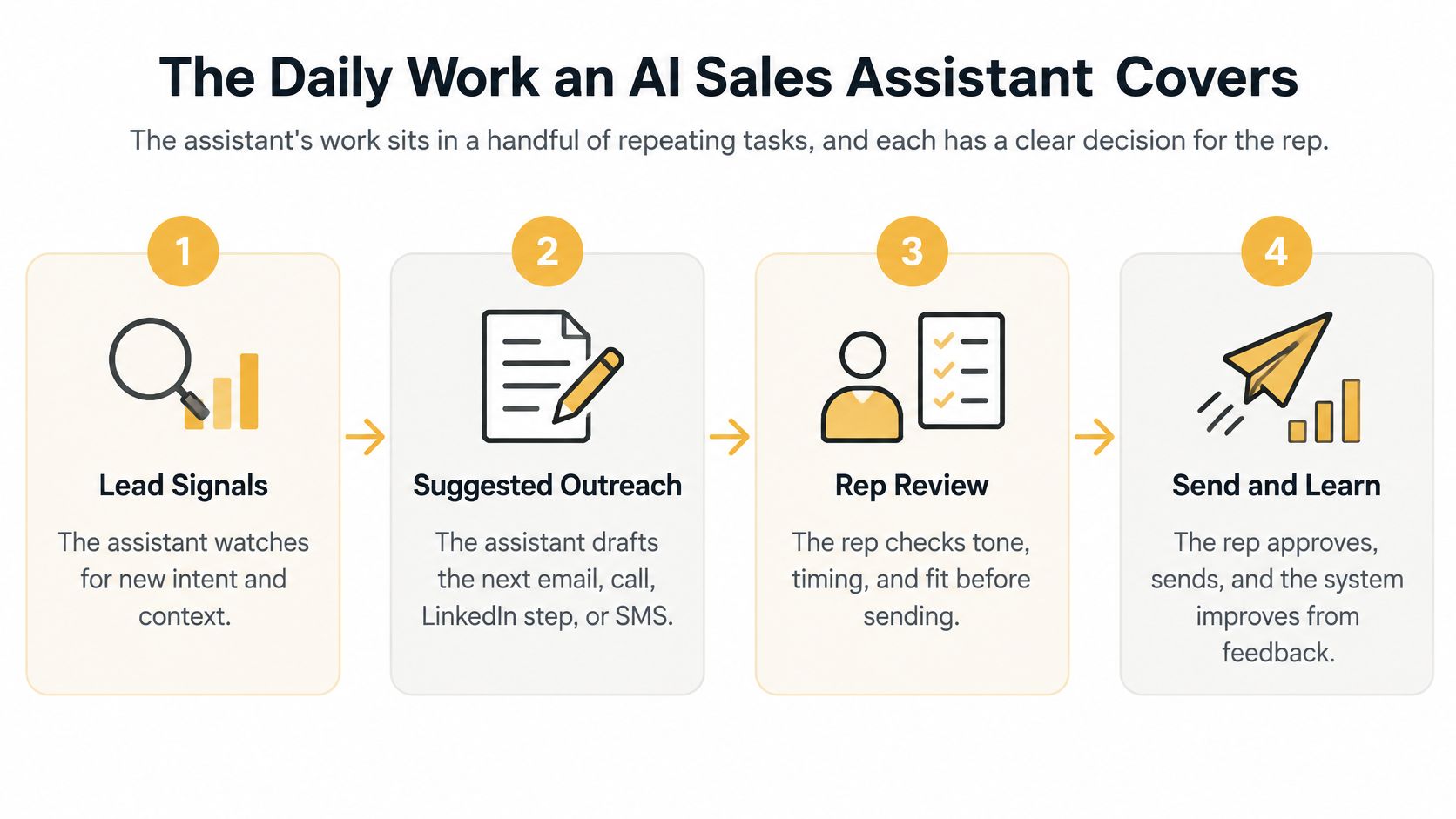
Read each row left to right. The middle columns split a draft from a decision. The last column is where the outcome lives after someone accepts it.
| Task | What the assistant proposes | Rep decision | Where it appears |
|---|---|---|---|
| Prospect discovery | Companies and decision makers from dated buying signals, with a fit score and the reason | Accept the lead or reject it | Lead list |
| Pre-call brief | Account summary, last touch and likely objections | Use it or skip it before dialing | Call screen |
| Call outcome and notes | Summary, objections and next step drafted from the call | Accept, edit or undo the log | Contact history |
| Email follow-up | Draft written from the call and account context | Approve or edit before it sends | Rep's own mailbox |
| LinkedIn step | Suggested step and context for the touch | Rep performs the step by hand | Task list |
| Deal stage change | Proposed move with the evidence behind it | Accept or undo | Deal record |
| Daily plan | Who to contact next and why | Work the queue in order | Daily queue |
What makes a proposal usable
A usable proposal has three pieces: a dated reason, a named source, and one next action. "Call them, they look like a fit" isn't enough. "Posted a sales role on March 4, source is the job listing, call the hiring manager this morning" is something a rep can accept or reject in a minute.
LinkedIn steps in a cadence are tasks the rep does by hand. The assistant can suggest the step and the context. It doesn't act on the profile.
A built-in AI CRM keeps companies, contacts, deals, tasks, and history on one record. Montana may propose a log, a stage move, or a follow-up. The rep accepts, edits, or undoes it. Complete-looking fields aren't the same as correct fields.
Practical rule: Pick five accepted proposals this week and check each one against the evidence it cited. If the reason is stale or the source is missing, reject the pattern, not just the row.
How One Lead Moves From Signal to Booked Meeting
A dated signal starts the clock. Say a marketing agency wants more booked meetings for a client. This is an illustration, not a reported result. A target company posts a sales role, announces funding, or changes the tools it uses. Speed only helps if the next action is specific and a person still signs off.
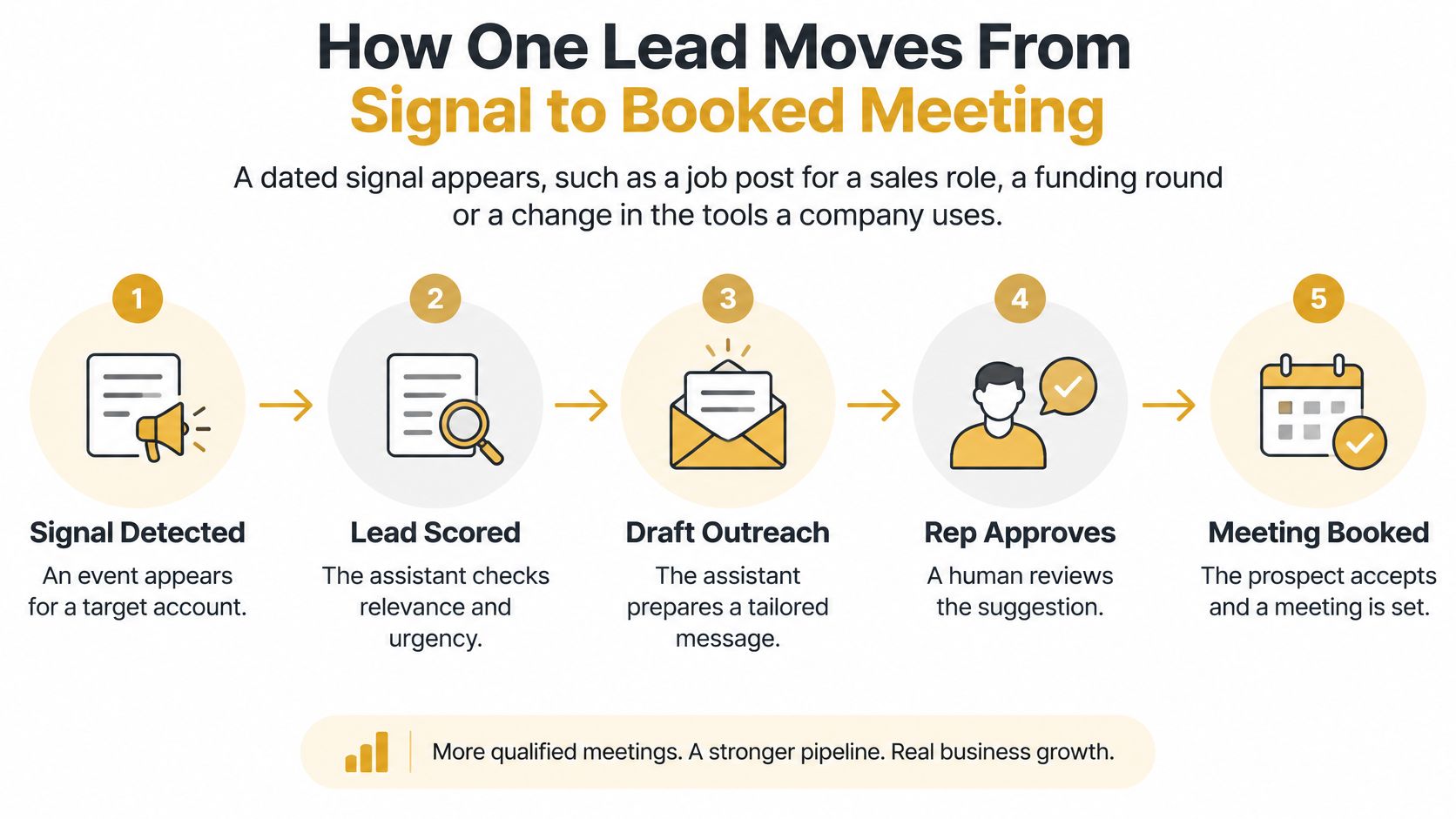
Six steps from signal to meeting
- The signal is logged with its source and date.
- The assistant scores fit and states the reason in one line.
- It proposes the first touch and a time window, as one step in a sales cadence.
- The rep reviews the proposal and approves the call, email, LinkedIn step, or SMS.
- The outcome is logged, the callback is booked, and a follow-up is drafted for the rep.
- The sequence stops when the prospect replies. The deal moves only after the rep accepts the stage change.
In a Harvard Business Review field audit of 2,241 U.S. companies, only 37% responded to submitted leads within one hour, and 23% never responded. A separate dataset of 1.25 million leads across 42 companies found that attempting contact within one hour made a lead nearly seven times more likely to qualify than waiting one more hour. Those figures describe inbound leads. They show why fast response matters. They don't guarantee an outbound result.
On a trial, the user enters a website, Sales Montana reads it, suggests who to sell to, and finds businesses with the decision maker's email, phone, and LinkedIn. That list is a starting point. The rep still accepts or rejects each lead.
Track two numbers: signal-to-first-human-action time, and the share of sequences that stop after a reply. The path is only as fast as its approval step, so give reps a fixed daily window to clear the queue.
Calls, Email, LinkedIn and SMS Side by Side
Four channels share one rule and differ on who acts and what the law expects.
| Channel | Who sends | Assistant's role | Human checkpoint | Rule to know |
|---|---|---|---|---|
| Calls | Rep, on a single-line power dialer | Pre-call brief and AI call scoring | Rep decides what is said on the line | One line per rep; no parallel or predictive dialing |
| Rep, from their own mailbox | Drafts the follow-up | Rep approves each send | Accurate sender identity, clear advertisement label, opt-out honored within 10 business days | |
| Rep, by hand | Suggests the step and context | Rep performs the step | Cadence steps are manual tasks for the rep | |
| SMS | Rep, after carrier registration | Drafts the message | Rep approves each send | Marketing texts to wireless numbers need consent under FCC rules |
Calls. The rep works one line. Dialing isn't parallel and isn't predictive. The assistant supplies the brief and a score after the call. The words on the line are the rep's.
Email. The message goes from the rep's own mailbox, so the From line matches a real person. The FTC's CAN-SPAM guidance, checked August 9, 2023, covers commercial email, including business-to-business messages. It requires accurate From, To, Reply-To, and routing information, bars deceptive subject lines, requires a clear advertisement label and a valid physical postal address, and requires senders to honor opt-out requests within 10 business days.
LinkedIn. The assistant can queue the step and the context. The rep opens the profile and performs the touch. There's no silent action on the account.
SMS. Texting stays off until carrier registration is in place. FCC guidance, updated August 7, 2025, says a marketing text to a consumer with a wireless number on the National Do Not Call Registry needs that consumer's prior express invitation or permission. Don't treat SMS as a looser version of email.
A sequence stops when the prospect replies on any channel. After a call, a rep might see a proposed follow-up, change one line, approve it, and find the send logged on the contact.
Where Human Review Stays in Charge
The rep presses send. That covers every outbound call, email, LinkedIn step, and SMS. A trained SDR can do the same job inside the customer's workspace, with every call, email, and deal visible to the customer. Removing the person isn't the more advanced design.
Recommend in the open, and act only after a person says yes.
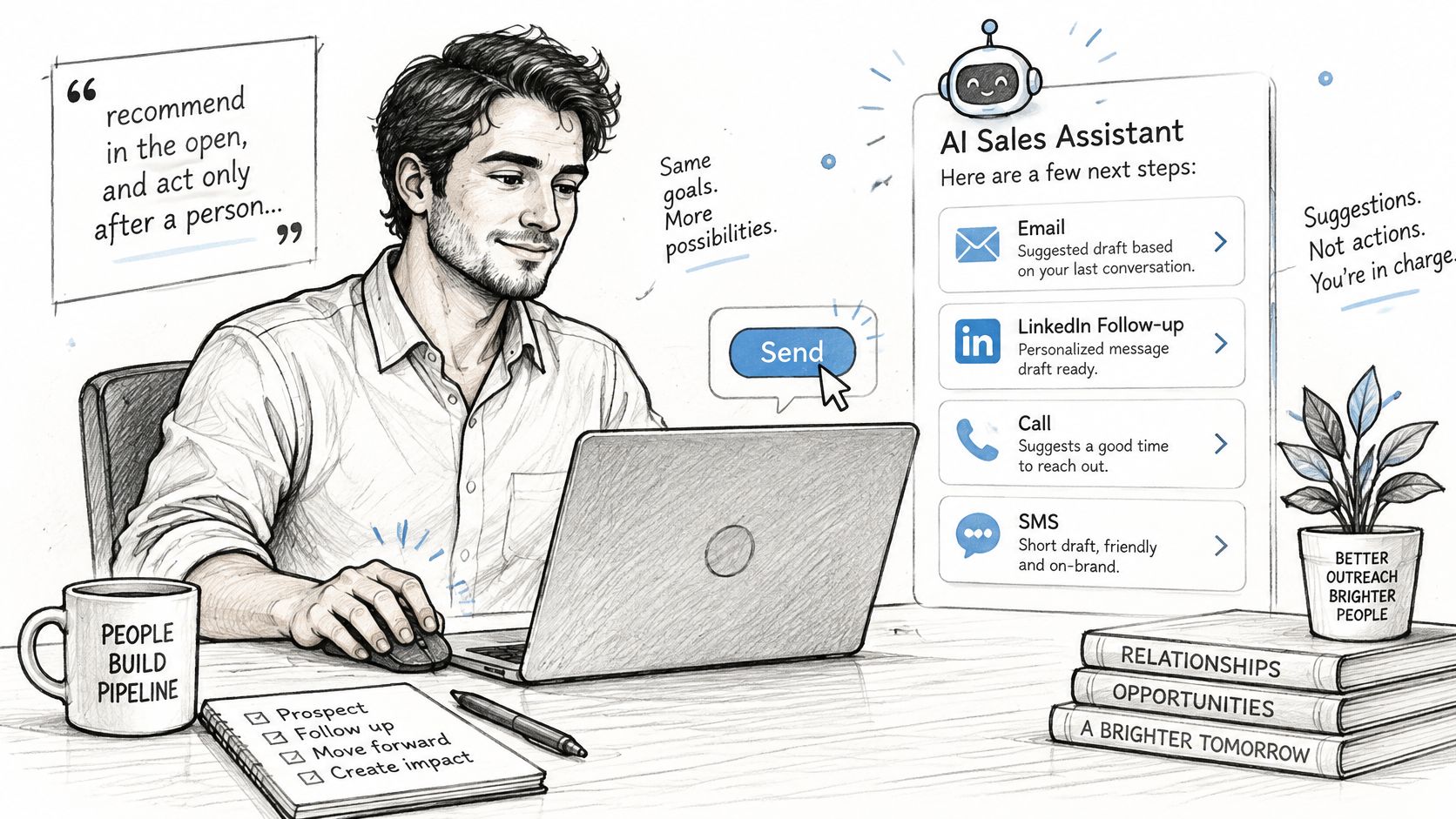
What can be proposed, and what must be approved
Montana may draft a follow-up, suggest a deal-stage change, summarize a call, name an objection, or recommend the next buyer. AI call scoring can flag how the conversation went. A rep or trained SDR still approves every outbound message and every consequential record change.
NIST's AI Risk Management Framework treats oversight as a technical control: governance, documented limits, monitoring, data quality, and practices that support debugging. For this CRM, that means an audit trail on each proposal.
- Evidence: the signal or transcript that triggered the draft.
- Model output: the original suggestion, kept even if someone edits it.
- Approver and timestamp: who said yes, and when.
- Final text or disposition: what was sent, or why it was rejected.
- Undo path: a way to reverse a bad log or stage move.
When someone connects an assistant, they pick Read, Write, or Act. Read lists campaigns, leads, calls, deals, and reports and changes nothing. Every lookup stays inside that user's own workspace.
Useful controls include confidence thresholds, mandatory review for unsupported claims or sensitive attributes, checks that the transcript matches the record, duplicate-contact detection, and a periodic sample of accepted versus rejected suggestions. For an appointment setting agency or outsourced SDR desk, client visibility and a reverse button cut the risk of a wrong note going out under a client's name.
Review the audit trail weekly. Treat accepted changes as data to check, not as ground truth.
What to Check Before You Buy an AI Sales Assistant
Use a short trial and score the product on six points. Compare vendors on the same six, using each vendor's own documentation.
- Approval. Every outbound call, email, LinkedIn step, and SMS can be reviewed before it sends. A good answer is a queue where nothing leaves until a named person accepts it.
- Audit. Each proposal keeps its evidence, approver, timestamp, and undo path. A good answer lets you open last Tuesday's send and see why it was written.
- Channel rules. Sender identity, advertisement labels, opt-outs, and SMS carrier registration are handled before any send. A good answer blocks a text until registration and consent are on the record.
- Data upkeep. The tool surfaces stale signals, duplicate contacts, and wrong CRM updates. Validity's 2025 CRM data report found that 37% of organizations reported losing revenue because of poor data quality, and that companies reported losing an average of 16 sales deals per quarter for that reason. A good answer makes the bad row visible.
- Dialing. The dialer is one line per rep, with no parallel or predictive dialing. A good answer is a single live call, not a stack of ringing lines.
- Price clarity. Monthly price, user limit, and trial length are on the vendor's own pricing page, with the date you checked it. A good answer doesn't hide the user cap in a sales call.
A team that needs deep custom work inside an existing enterprise stack may be better served by a platform built for that integration. A team that already runs a mature sales engagement platform may need only one feature, such as call notes or email coaching, rather than a full AI CRM.
Decide Whether an AI Sales Assistant Fits Your Team and What It Costs
An AI sales assistant fits a team that already has a pitch that books meetings, can review every outbound action, and wants outbound moving faster than a hiring cycle allows.
- Agencies running outbound for clients, including marketing and appointment-setting shops, where one workspace has to stay visible to the client.
- Owner-led B2B companies with no outbound motion yet, who need meetings without standing up a floor first.
- In-house sales teams that want one AI CRM instead of a separate dialer, CRM, and data tool.
A single rep with a proven manual process may do well with a simple CRM and no assistant at all. A team that wants fully automated selling without review should look elsewhere. This product won't do that.
In Salesforce's 2024 State of Sales research, 83% of sales teams using AI saw revenue growth in the preceding year, compared with 66% of teams without AI. That's a correlation, not proof that AI caused the growth.
| Plan | Price | Users |
|---|---|---|
| Solo | $49 a month | 1 user |
| Team | $99 a month | Up to 3 users |
| Organization | $297 a month | Unlimited users |
| Free trial | 7 days with 100 credits | No card needed |
Organization, at $297 a month, includes manager tools, team analytics, a live floor, a rep ladder, QA reports, view-as-rep, and client access. Done-for-you trained SDRs are quoted per engagement. They work inside the customer's own workspace. The ROI calculator is a place to test whether the monthly plan is cheaper than the meetings you're missing.
Start the 7-day trial with 100 credits and no card needed. Enter one website, run one small campaign, and check every proposal before anything is sent.
Sales Montana is an AI CRM where Montana plans the calls, emails, and LinkedIn steps, logs the outcomes, and waits for a person to approve every send. If outbound is stuck between a stale CRM and a hiring plan, that approval line is the part worth testing first. Visit Sales Montana to start the 7-day trial and see the queue before you commit a rep's day to it.
Let Montana run your outbound
Leads, calls, email and LinkedIn in one place. 7 day free trial with 100 credits, no card needed.
Larger team? Book a demo